Website Trust Badges Explained: Types, Benefits, and Best Practices
A website trust badge is a small graphic that signals your site is safe and your business is legitimate.
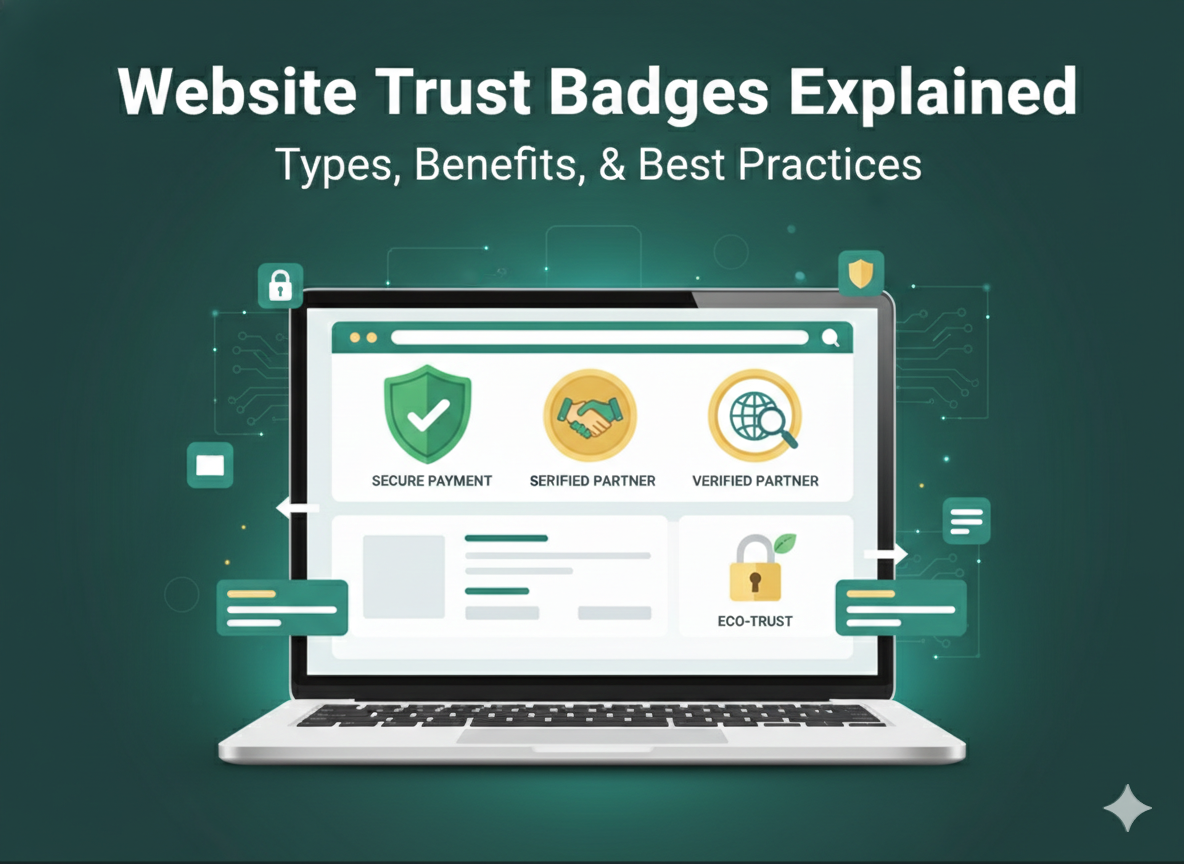
These visual cues (security seals, payment icons, certification logos) help visitors decide whether to trust you within seconds of landing on your page.
Trust badges work because they answer unspoken questions before hesitation turns into abandonment. We'll cover the main types of trust badges, where to place them for maximum impact, and how to choose the right ones for your business.
What are website trust badges
Website trust badges are small graphics that signal safety and credibility to visitors. You've seen them before, the little icons near checkout buttons, in footers, or scattered across product pages. They're visual shorthand that tells someone, "This site is legitimate, and your information is safe here."
The reason they matter is simple. When someone lands on your website for the first time, they're sizing you up. Within seconds, they're deciding whether to stay or hit the back button. A recognizable trust badge can tip that decision in your favor by answering unspoken questions about security and legitimacy.
You'll hear a few terms used interchangeably in this space:
Trust badge: A graphic communicating that your site is safe and your business is trustworthy
Trust seal: Similar to a trust badge, though this term often implies verification by a third party
Trusted store logo: A badge indicating an outside authority has reviewed and approved your business
The distinction worth paying attention to is whether a badge is self-created or issued by an independent organization. Anyone can design a badge and slap it on their website. Badges that come from recognized third parties, ones that visitors can actually click and verify, carry more weight.
Why trust badges increase conversions
Trust badges affect revenue directly, with some businesses seeing 42% conversion increases from adding verification badges. Visitors who feel safe are more likely to complete a purchase, fill out a form, or take whatever action you're hoping for.
Think about what happens when someone shops online. They're handing over credit card numbers to a website they may have never heard of. They're trusting that the product will actually arrive, that it will match the description, and that they won't get scammed. Every unfamiliar site triggers a quick mental risk assessment.
Trust badges interrupt that hesitation. A secure checkout badge near the payment form signals that financial information is protected. A money-back guarantee badge removes the fear of being stuck with something that doesn't work. Each badge addresses a specific worry that might otherwise cause someone to leave without buying.
Cart abandonment rates across ecommerce hover at 70.19%, and trust concerns consistently rank among the top reasons people abandon their carts. People look for every little cue whether to make a purchasing decision or not. Addressing those concerns visually, right where decisions happen, translates into more completed transactions.
Types of website trust badges
Different badges address different concerns. The right combination depends on what your visitors worry about most.
Secure checkout badges
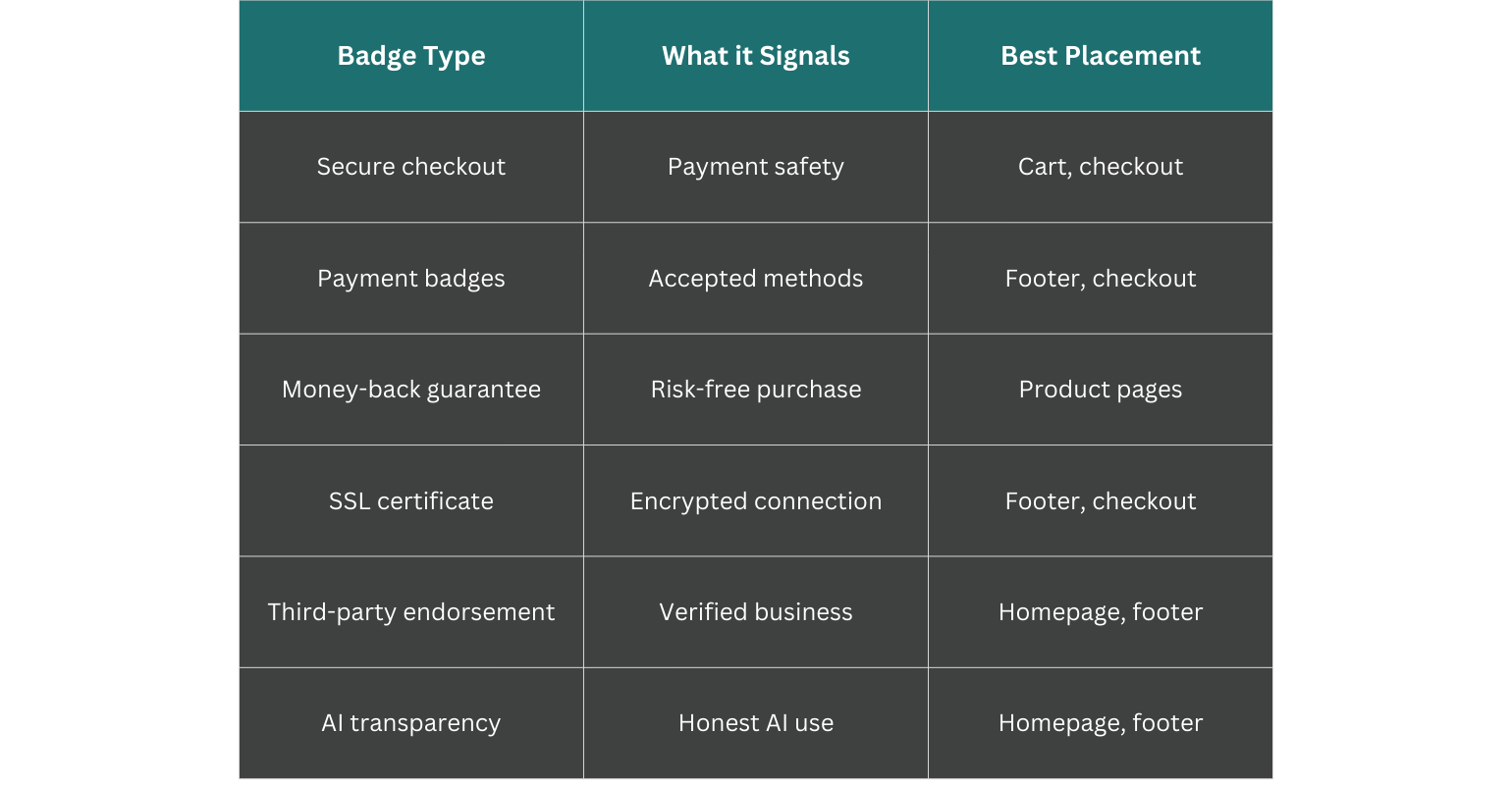
Secure checkout badges signal that payment processing is encrypted and protected. Norton Secured and McAfee Secure are common examples. Placing them directly next to payment forms addresses anxiety at the exact moment it peaks.
Payment trust badges
Payment badges display logos for accepted payment methods like Visa, Mastercard, PayPal, or Stripe. Visitors recognize these brands instantly. That familiarity creates a sense of security, even though the logos themselves don't guarantee anything about your specific site.
Money back guarantee badges
A money-back guarantee badge is a visual promise. If the customer isn't satisfied, they get a refund. This type of badge reduces perceived risk significantly because it shifts the burden from the buyer to the seller.
Free shipping and returns badges
Shipping costs and return hassles stop purchases before they happen. Badges communicating free shipping or easy returns remove those objections upfront, before someone has to dig through your policies to find the answer.
Review and social proof badges
Review badges display ratings or review counts from platforms like Trustpilot or Google. Real feedback from real customers carries credibility that marketing copy can't replicate. When visitors see that hundreds of people have bought from you and left positive reviews, that social proof does heavy lifting.
SSL certificate badges
SSL badges, often shown as a padlock icon, indicate an encrypted connection between the visitor's browser and your server. 85% of users feel more secure using websites with SSL certificates, and this has become baseline security for any site handling personal information. Modern browsers now warn users when SSL is missing, so this badge confirms what visitors already expect.
Third-party endorsement badges
Endorsement badges come from industry groups, the Better Business Bureau, or other recognized authorities. What makes them valuable is that an outside organization has actually reviewed your business. The badge represents someone else's stamp of approval, not just your own claim.
AI transparency badges
AI transparency badges are a newer category, but they're becoming more relevant as businesses integrate AI into their operations. Consumers increasingly want to know how AI affects their experience, whether that's in customer service, recommendations, or decision-making, with over 80% believing AI-created material should be clearly labeled.
According to KPMG's 2025 research, 74% of people say they'd trust a business more if its AI practices were assured by an independent third party, which only reinforces the consumer's need for verification, not just promises.
Where to place trust badges on your website
Where you put a badge matters as much as which badge you choose. The right badge in the wrong location won't accomplish much.
Homepage and landing pages
First impressions form here. Endorsement badges and trusted store logos work well on homepages because they establish credibility immediately. Visitors decide within seconds whether your site feels legitimate, and visible trust signals influence that snap judgment.
Product pages
Product pages are where buying decisions happen. Guarantee badges and review badges fit naturally here because they address hesitation at the moment someone is weighing whether to add something to their cart.
Checkout and cart pages
Checkout is the highest-anxiety point in the buying process. Secure checkout badges and payment badges belong here, right where visitors are about to enter sensitive information. Reassurance at this stage directly reduces the likelihood of someone abandoning their cart.
Website footer
The footer appears on every page, making it a consistent location for SSL badges, payment icons, and certification badges. Footer placement provides ongoing reassurance without cluttering your main content areas.
How to choose the right trust badges for your website
Not every badge fits every business. The goal is matching badges to your specific situation and your customers' specific concerns.
1. Match badges to your customer concerns
Start by looking at data and identifying what your visitors worry about. If payment security is the primary concern, secure checkout badges will have the most impact. If the authenticity of the product or the accuracy of the information presented on the site is a concern, AI trust badges address that directly. Listen to what your customers are telling you, whether directly through customer reviews and surveys or indirectly through data in analytics.
2. Prioritize verified and authentic badges
Self-made badges can backfire. Visitors are increasingly savvy about the difference between a recognized certification and a graphic someone created in-house. Verifiable badges, ones that link to a confirmation page or public registry, build substantially more trust than generic images.
As consumers become more aware of how easy it is to fake trust signals, independent verification becomes much more valuable.
3. Test badge placement and combinations
What works for one site may not work for another. A/B testing different placements and combinations reveals what actually moves the needle for your audience. Too many badges can create visual clutter and feel desperate. Too few might not provide enough reassurance. Testing helps you find the right balance.
Tip: Start with badges that address your highest-friction points. If cart abandonment is your biggest problem, focus on checkout badges first and expand from there.
What makes a trust badge credible
Not all badges carry equal weight. Some genuinely build trust, while others are essentially decorative.
The factors that separate credible badges from meaningless ones:
Independent verification: Badges issued after third-party review are more trustworthy than self-claimed ones
Click-to-verify functionality: Visitors can confirm the badge is real by clicking through to a verification page
Recognizable issuer: Badges from known organizations carry more weight than unfamiliar ones
Current status: Expired or outdated badges hurt credibility rather than help it
As AI becomes more common in business operations, consumers are starting to look for AI transparency badges they can verify. Independent certification matters here because anyone can claim to use AI responsibly. Proving it requires outside validation.
Prove your AI transparency with certification
Traditional trust badges cover payments, security, and customer satisfaction. They don't address the growing concern about how businesses use AI.
SiteTrust certification fills that gap. We independently verify AI transparency practices and list certified companies in a public registry. Visitors can confirm certification status before deciding whether to trust a business.
Ready to turn AI transparency into a visible trust signal? Get certified for AI transparency with SiteTrust.
Frequently asked questions about website trust badges
What is the difference between a trust badge and a trust seal?
The terms are often used interchangeably. "Trust seal" sometimes implies third-party verification, while "trust badge" can include self-created graphics. In practice, the distinction is fuzzy.
Do website trust badges work for B2B websites?
Yes. B2B buyers also seek reassurance, particularly around security compliance, industry certifications, and partner endorsements. The stakes in B2B purchases are often higher, which makes trust signals even more relevant.
Can a business create its own trust badge?
You can, but self-made badges carry less weight than verified third-party badges. Visitors can't independently confirm your claims, which limits how much trust a self-created badge actually builds.
How do customers verify if a website trust badge is real?
Legitimate badges are typically clickable and link to a verification page on the issuer's site. This might be a public registry, a certificate page, or a real-time verification check. If a badge doesn't link anywhere, that's a red flag.
Do trust badges on websites affect SEO rankings?
Trust badges don't directly impact SEO rankings. However, they can improve user behavior signals like time on site and conversion rate. Those improvements may indirectly benefit rankings over time, though the effect is secondary.
Ready to become a founding member?
Apply for certification todayFree AI tools
Assess your AI readiness
Use these quick assessments to spot trust, governance, and disclosure gaps.