What should a website trust badge actually prove?
A badge on a website is a claim. Here is what a trust badge should show, how to tell a live record from a picture, and what to ask before you put one on your site.
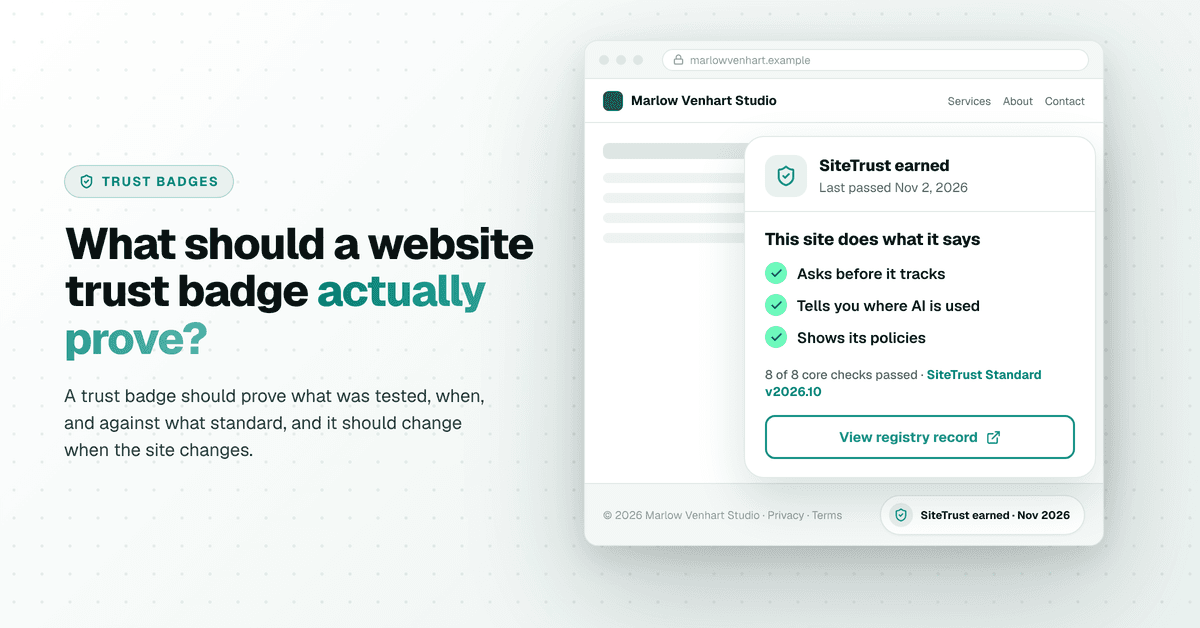
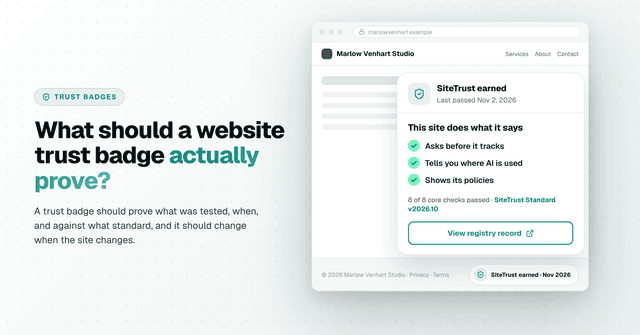
A trust badge should prove what was tested, when, and against what standard, and it should change when the site changes. A static image that never updates proves only that someone once pasted it on the page. Before you trust a badge, ask what it checks, how often, and where anyone can see the record.
By Vinnie Fisher, Founder & CEO, SiteTrust · Published November 23, 2026
Why do trust badges matter now?
Because visitors have learned that anything on a screen can be faked.
For years, a seal at the bottom of a page was enough. People assumed it meant something. Today the same visitor knows a logo can be copied, a review can be invented and an AI can write a page in seconds. Trust used to be assumed. Now it has to be shown.
That puts a badge in a strange spot. It's supposed to settle a question, but if it can't be checked, it raises a new one.
What's wrong with the old kind of seal?
Most of them are pictures. They were earned once, or bought once, and they sit on the page whether anything behind them is still true.
A site can add a new ad pixel next week, swap its chat tool next month, and quietly stop honoring a visitor's choice. The seal doesn't notice. It looks exactly the same on the day it stops being accurate.
That means the badge is making a claim on your behalf that nobody is checking.
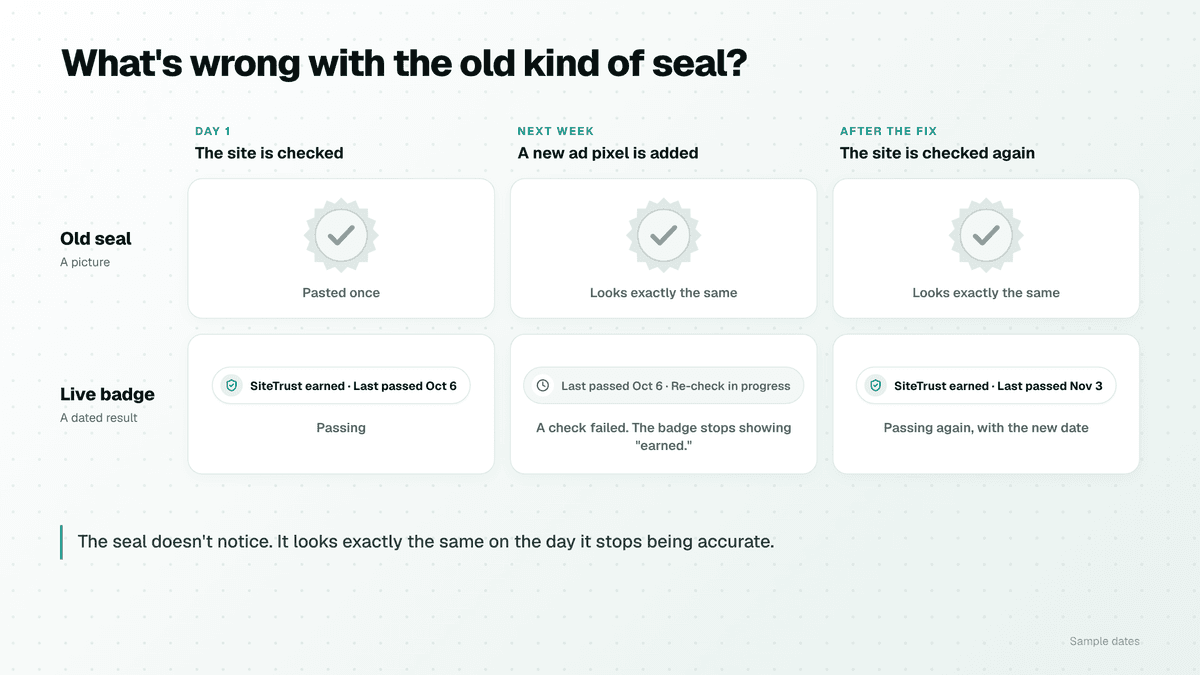
Image 1 (trust-badge-proof-02-old-seal.png). Alt text: A static seal that looks the same after a new ad pixel is added, next to a live badge that shows a re-check in progress and then passes again after the fix.
What should a badge actually show?
A badge worth trusting answers four questions, in plain view:
→ What was tested? Specific checks a visitor can understand, such as whether the site asks before it tracks and whether it says where AI is used.
→ When? A date. "Last passed" means something. No date means nothing.
→ Against what? A published standard with a version, so anyone can read what "passed" means.
→ Where's the record? A click-through to a record anyone can check, not a page the business wrote about itself.
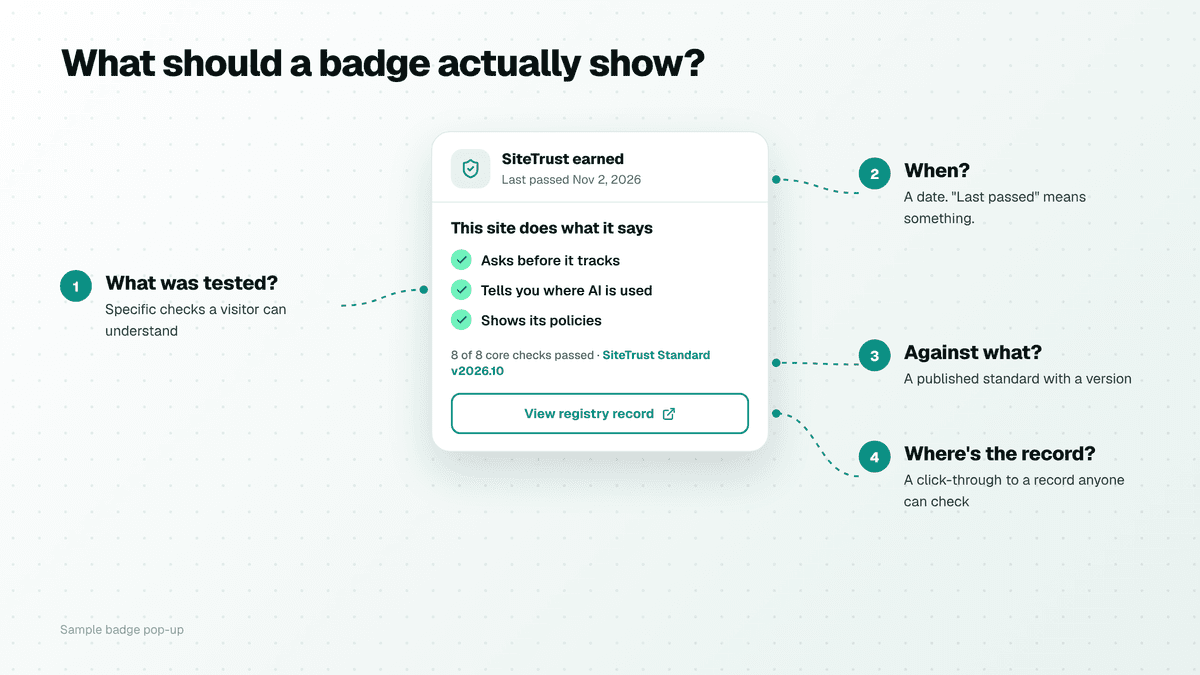
Image 2 (trust-badge-proof-03-what-to-show.png). Alt text: A badge pop-up with four callouts: what was tested, when, against what standard, and where the record is.
And it has to change. If a check fails, the badge shouldn't keep showing an old pass. A badge that can't change can't be trusted.
What should a badge never claim?
It should never claim more than was tested.
A website badge can show that a site was checked against a standard on a date. It can't vouch for the business, guarantee legal immunity, or promise that nothing will ever go wrong. Be wary of any badge that says "certified," "guaranteed" or "protected" without telling you exactly what was checked.
How does the SiteTrust badge work?
We built ours around those four questions.
→ The SiteTrust Standard is published and versioned. It sets out the checks, including tracking before consent, what happens when a visitor declines, consent records and AI disclosure.
→ Verify and Audit sites are scanned every month against the Standard. The badge shows the latest result and the date it last passed.
→ The badge clicks through to a registry record that anyone can open.
→ If a check fails, the business sees the details privately, with the fix path, and the badge reflects the latest result rather than an old pass.
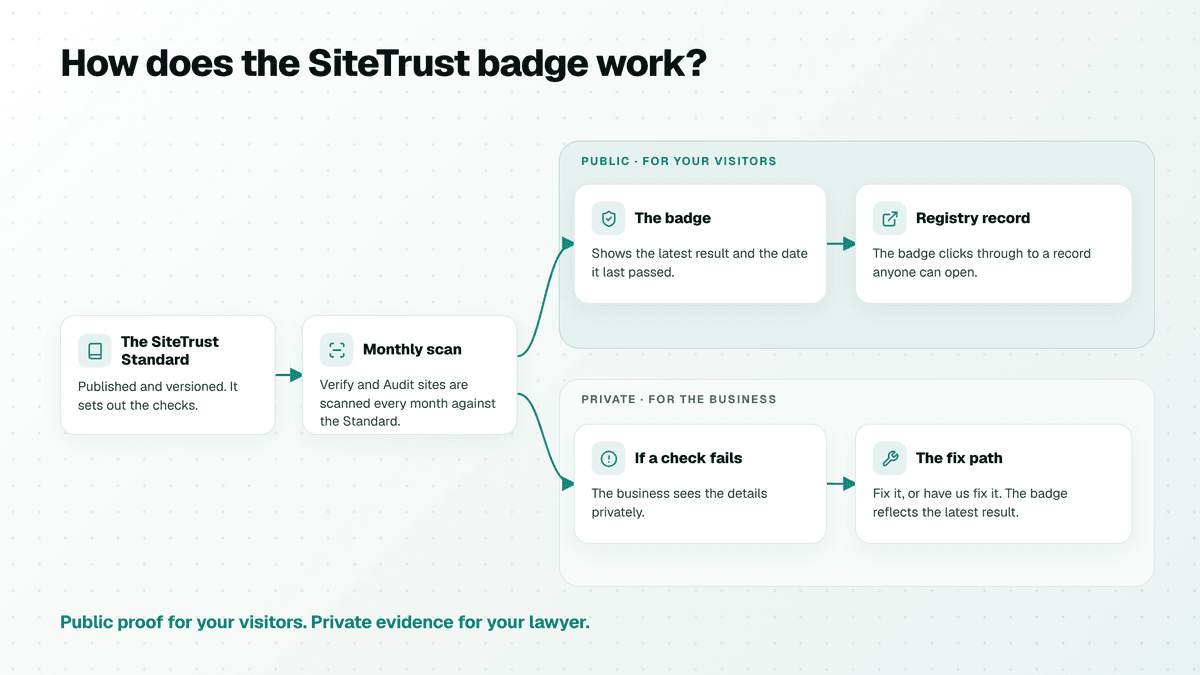
Image 3 (trust-badge-proof-04-how-it-works.png). Alt text: How the SiteTrust badge works: a published Standard, a monthly scan, a public badge and registry record for visitors, and private details with a fix path for the business.
The badge states what was tested and when. That's the whole point: public proof for your visitors, private evidence for your lawyer.
How do you check a badge you see on someone else's site?
→ Click it. Does it go to a record, or to a sales page?
→ Look for a date. Is it recent?
→ Look for the standard. Can you read what was checked?
→ Ask whether it's re-checked, and how often.
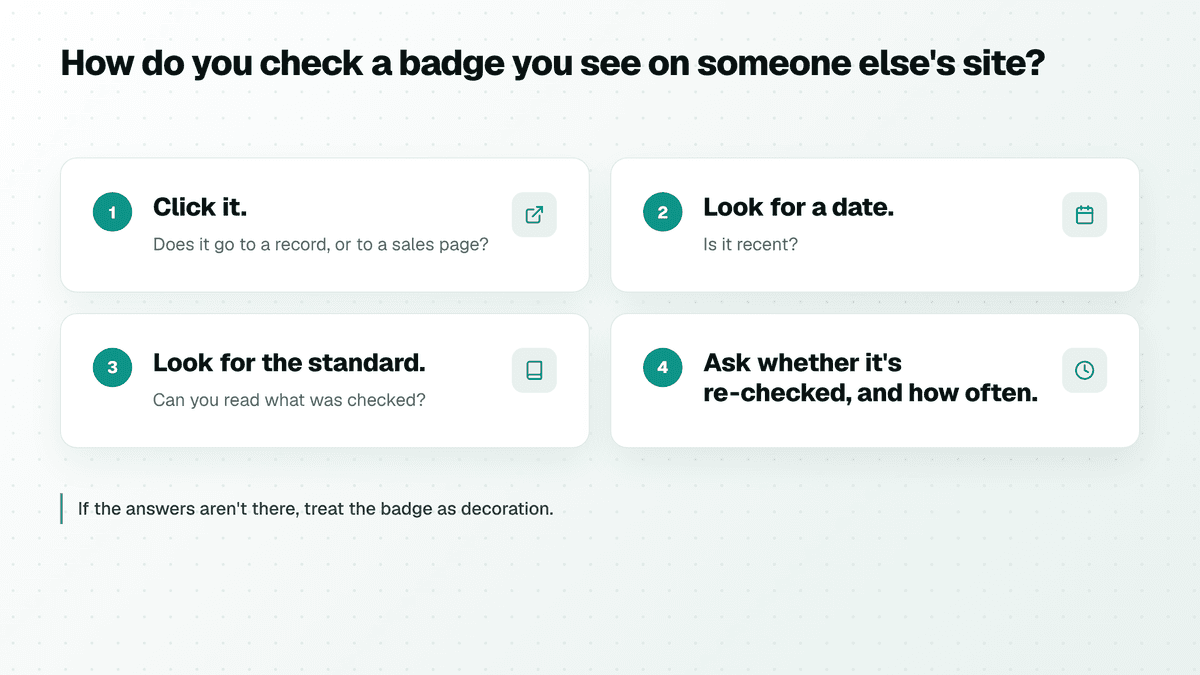
Image 4 (trust-badge-proof-05-check-a-badge.png). Alt text: Four steps to check a badge on another site: click it, look for a date, look for the standard, ask whether it's re-checked.
If the answers aren't there, treat the badge as decoration.
What does "handled" look like for your own site?
Your site is checked on a schedule, not once. The badge shows the date it last passed. Anyone who wonders can click through and see the record. And when something changes on your site, you hear about it before your visitors do.
FAQ
Is a trust badge a certification? Not ours. SiteTrust sets a published standard and scans sites against it. The badge shows what was tested and when. It doesn't certify the business.
How often is the SiteTrust badge re-checked? Every month for sites on the Verify and Audit plans. The badge shows the latest result.
What happens to the badge if my site fails a check? The badge reflects the latest result, not an old pass. You see what failed, privately, along with the fix path, and you can have us fix it.
Does a badge mean my site can't be sued? No. No software tool or badge guarantees absolute legal immunity. What a dated, checkable record does is show what your site actually did, and when.
Run the free scan
See what your site does today, before you put any badge on it. Run the free scan at sitetrust.com
Hidden risks, handled. SiteTrust, earned. What remains, covered.
Informational only and not legal advice. Source: the SiteTrust Standard and SiteTrust Earned Plans, as published at sitetrust.com, November 2026.
Ready to become a founding member?
Apply for certification todayFree AI tools
Assess your AI readiness
Use these quick assessments to spot trust, governance, and disclosure gaps.